Every web page tells people what it is about through headlines, images, and text. Machines have to work harder. They infer whether a page describes a business, a product, an event, an article, or a service, and inference involves guesswork.
Schema markup for business websites reduces that guesswork. It is a standardized way to label what a page represents, so search engines and AI systems can interpret it with greater confidence. You do not need to be a developer to understand it, and you do not need to write code to benefit from it.
The Vocabulary: Schema.org
Schema.org is a shared vocabulary created and maintained collaboratively by major search engines. It defines types of things, such as Organization, LocalBusiness, Product, Service, Article, Event, and FAQPage, and the properties that describe them, such as name, address, price, author, and date.
Think of it as a common dictionary. When your website uses the same words that search systems use, both sides understand each other.
The Format: JSON-LD
Schema markup can be written in several formats. Google recommends JSON-LD, a block of structured text placed in the page’s code that visitors never see.
A simplified example for a consulting firm might state: this is an Organization, its name is X, its website is Y, its logo is here, and its official LinkedIn profile is there. The block sits quietly in the page and describes the facts already shown to visitors.
Many WordPress tools, including SEO plugins and dedicated schema plugins, generate JSON-LD automatically from fields you complete in a form.
What Schema Can Do
Structured data can make a page eligible for enhanced search features, often called rich results. Depending on the type, these may include product details such as price and availability, event dates, review information, breadcrumbs, and organization details.
Eligibility is not a guarantee. Google decides when to show rich results based on many factors. Schema also helps search systems connect your organization, locations, services, and people into a clearer picture of your business, which supports accurate representation across search and AI-generated answers.
What Schema Cannot Do
Schema is not a ranking shortcut. It does not make weak content strong or compensate for technical problems. It also must reflect what is visible on the page. Marking up reviews that are not displayed, prices that are out of date, or locations that do not exist can lead to the markup being ignored or to manual action.
How Validation Works
Two free tools check structured data:
- Google’s Rich Results Test shows which rich results a page may be eligible for and flags errors.
- The Schema Markup Validator checks markup against the Schema.org vocabulary more broadly.
Google Search Console also reports structured data issues across a website over time, which helps catch problems introduced by updates or redesigns.
The Business Outcomes
For business owners, the value of schema falls into three areas:
- Clarity. Search systems understand your business, offerings, and locations more accurately.
- Presentation. Eligible pages may display richer, more useful search listings.
- Consistency. A connected set of markup reinforces one coherent identity across the website.
Where to Start
Most businesses should begin with four types: Organization on the homepage, LocalBusiness for real locations, Service for core offerings, and Article for blog content. From there, add types that match the business model, such as Product for e-commerce or Event for organizations that host events.
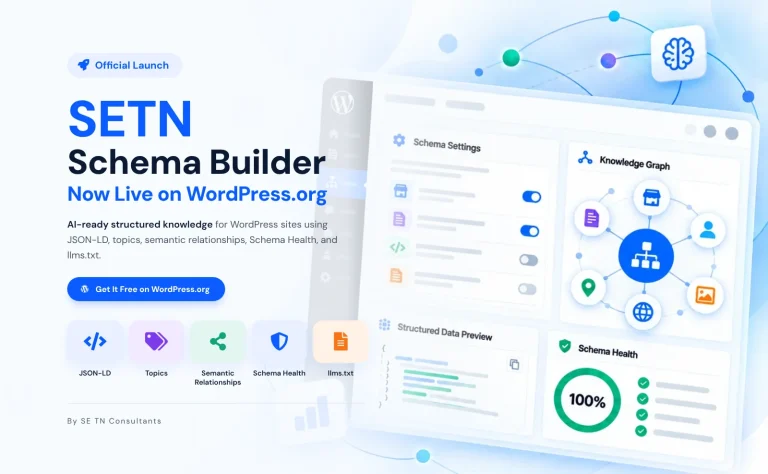
SETN Consultants built the SETN Schema Builder plugin so WordPress site owners can create this connected markup without editing code, and we help businesses decide which types matter most. We recommend starting with a simple coverage worksheet that lists each important page and the schema type it should carry.
A Simple Way to Picture It
Imagine a product label in a grocery store. Shoppers can read the packaging, but the barcode lets the register identify the product instantly and accurately. Schema markup works like that barcode for web pages. Visitors read your headlines, descriptions, and contact details as usual. Search systems read the structured labels behind the page and know, without guessing, that this block is a business name, this is a phone number, this is a price, and this is the author of an article. The page itself does not change. What changes is how reliably machines understand it, and how confidently they can represent your business to the people searching.
Frequently Asked Questions
What is schema markup?
Structured data, usually in JSON-LD, that labels what a page represents using the Schema.org vocabulary.
Does schema improve rankings?
Not directly. It improves understanding and can make pages eligible for rich results.
Do I need a developer to add schema?
Not necessarily. Many WordPress plugins generate it from simple forms.
How do I know if my schema works?
Test pages with Google’s Rich Results Test and monitor Search Console’s structured data reports.
Request the schema coverage worksheet and map the markup every important page needs with SETN Consultants: setnconsultants.com/setn-schema-builder/